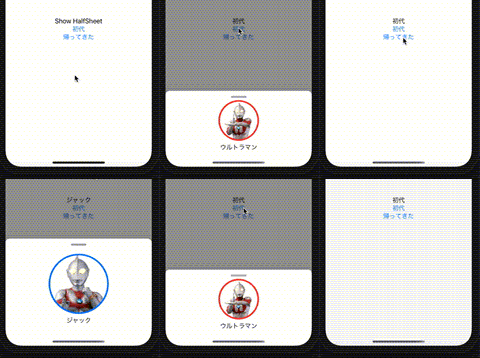
iOS のアプリでよく見かける画面サイズの半分ぐらいで下から出てくるモーダルシートですが、SwiftUI でどのように実装するのか標準のsheet では思った挙動ではないようなので、調べてみるとPartialSheet を使うと実現できました。
PartialSheet は下のURL(GitHub)です。
https://github.com/AndreaMiotto/PartialSheet
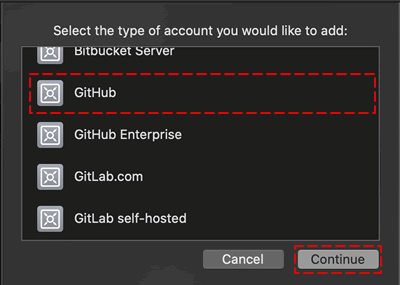
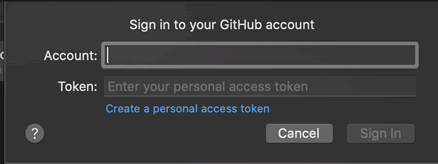
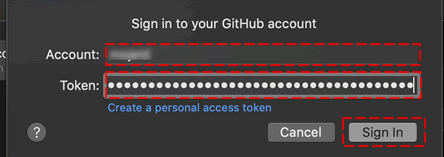
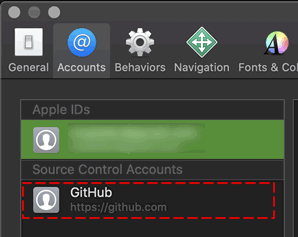
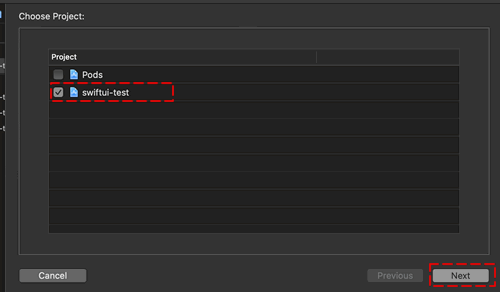
XcodeのAccounts画面でGitHub登録し、メニュー[File|Swift Packages|Add Package Dependency…]を選択しダイアログからPartialSheet を使いたいProjectを選びます。
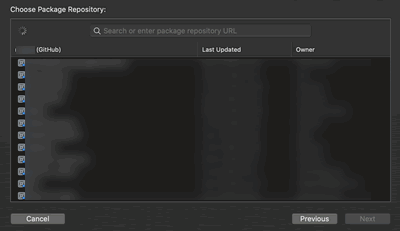
[Choose Package Repository ]画面検索用フィールドに「PartialSheet 」と入力します。
[Next ]ボタンを押すとProjectに追加されます。
ソースコードに「import EnvironmentObject に PartialSheetManager を設定しないといけない。
@EnvironmentObject var partialSheetManager : PartialSheetManager
半モーダルシート はどこかのActionで下記のように記述します。
self .partialSheetManager .showPartialSheet (content: {
VStack {
Text ("" )
}.frame (height: 120 )
})
PartialSheet は、NavigationView の中でないと思ったような動きをしてくれませんでした。
NavigationView {
}.addPartialSheet ()
NavigationView に.addPartialSheet ()を設定します。ためしたコード全体は下記のような感じです。
import PartialSheet
class TComponent : ObservableObject {
@Published var textValue : String = "Show HalfSheet"
static func resourcesLoadImage (name: String ) -> CGImage {
guard
let url = Bundle .main .url (forResource: name, withExtension: "png" ),
let imageSource = CGImageSourceCreateWithURL (url as NSURL , nil ),
let image = CGImageSourceCreateImageAtIndex (imageSource, 0 , nil )
else {
fatalError ("Couldn't load image \(name) ." )
}
return image
}
}
struct HalfSheet : View {
@EnvironmentObject var Component1 : TComponent
@EnvironmentObject var partialSheetManager : PartialSheetManager
var body : some View {
NavigationView {
VStack {
Text (self .Component1 .textValue )
Button ("初代" , action: {
self .Component1 .textValue = "初代"
self .partialSheetManager .showPartialSheet (content: {
VStack {
Image (TComponent .resourcesLoadImage (name: "shodai" ), scale: 3 , label: Text("" ) ).clipShape (Circle ())
.overlay (Circle ().stroke (Color .red , lineWidth: 4 ))
Text ("ウルトラマン" )
}.frame (height: 120 )
})
})
Button ("帰ってきた" , action: {
self .Component1 .textValue = "ジャック"
self .partialSheetManager .showPartialSheet (content: {
VStack {
Image (TComponent .resourcesLoadImage (name: "shinman" ), scale: 2 , label: Text ("" ) ).clipShape (Circle ())
.overlay (Circle ().stroke (Color .blue , lineWidth: 4 ))
Text ("ジャック" )
}.frame (height: 200 )
})
})
}
}.addPartialSheet ()
}
}
上記コードでは、2つshowPartialSheet ()を作っています。Image は少し面倒なコードを書いていますがResources ディレクトリにPNG ファイルを入れていたためです。
Assets.xcassetsに画像を入れた場合は、Image (“shodai” )でOKです。
struct HalfSheet_Previews : PreviewProvider {
static var previews : some View {
HalfSheet ().environmentObject (TComponent ()).environmentObject (PartialSheetManager ())
}
}
View を使う場合.environmentObject ()を2つ設定すればうまく動きました。